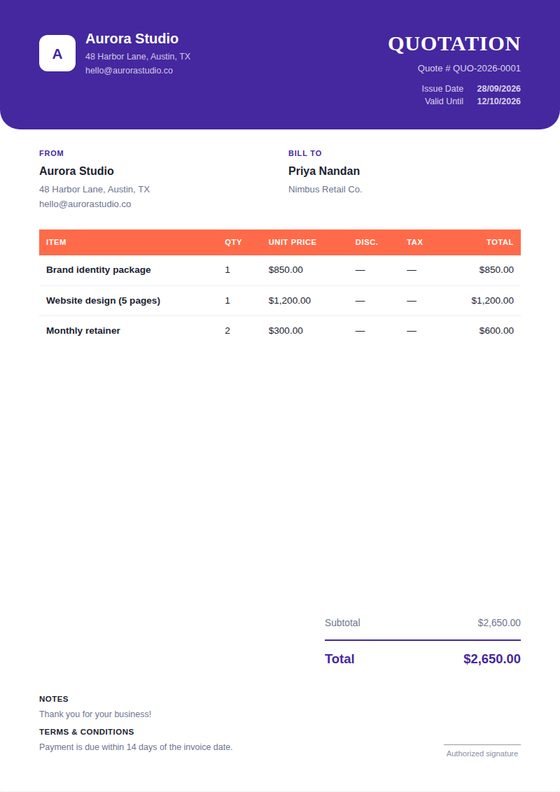
A quotation is a sales document, not just a price
A vague quote invites negotiation and scope disputes later. A specific one closes work. Break your pricing out by line item rather than giving a single lump sum, so the client can see what they are paying for and which parts they could adjust if the total is above budget.
WeQuotation works as a free quote generator with nothing held back: no trial period, no watermark on the PDF, and no limit on how many quotations you generate. Everything runs in your browser, so you can build a sales quotation online without creating an account first.
WeQuotation's quotation layout replaces the invoice's "Due Date" with a "Valid Until" date, which matters more than it sounds: it protects you when material costs shift, and it creates a gentle reason for the client to decide.
What to include
At minimum: your business details, the client's details, a quote number, the date issued, a validity period, an itemised breakdown with quantities and unit prices, any tax, and the total. Beyond that, the notes and terms fields are where you set expectations — what is included, what is not, and what happens if the scope changes.
Types of quotations
Not every quote looks the same, and matching the format to the request keeps you looking organised. A sales quote for a product order is usually a straightforward per-item list with quantities. A service quote — for consulting, repairs, or freelance work — often needs a description on each line, since the "product" is really a scope of work rather than a physical item. A larger project is easier to read when broken into phases or milestones, each as its own line, so the client can see where the money goes stage by stage.
Whichever shape your business quotation takes, the tool underneath is the same: pick a template and prepare a quotation, and the quotation builder adapts its layout and labels to what you're quoting, from a plain sales quote to a more formal proposal-style document.
Turning an accepted quote into an invoice
Once a client accepts, switch the document type from Quotation to Invoice in the editor. Your line items, totals, and branding carry across, and the layout adapts — the validity date becomes a due date, and payment fields appear. You do not retype anything.